
Realtime Messaging // Mobile UI // Firebase Backend

Mobile Realtime App

KraftChat

A mobile realtime chat app with anonymous sign-in, Firestore-based messaging, offline caching and support for image and location sharing.
Fullstack DeveloperReact Native AppBuilt during my full stack web development training.

Overview

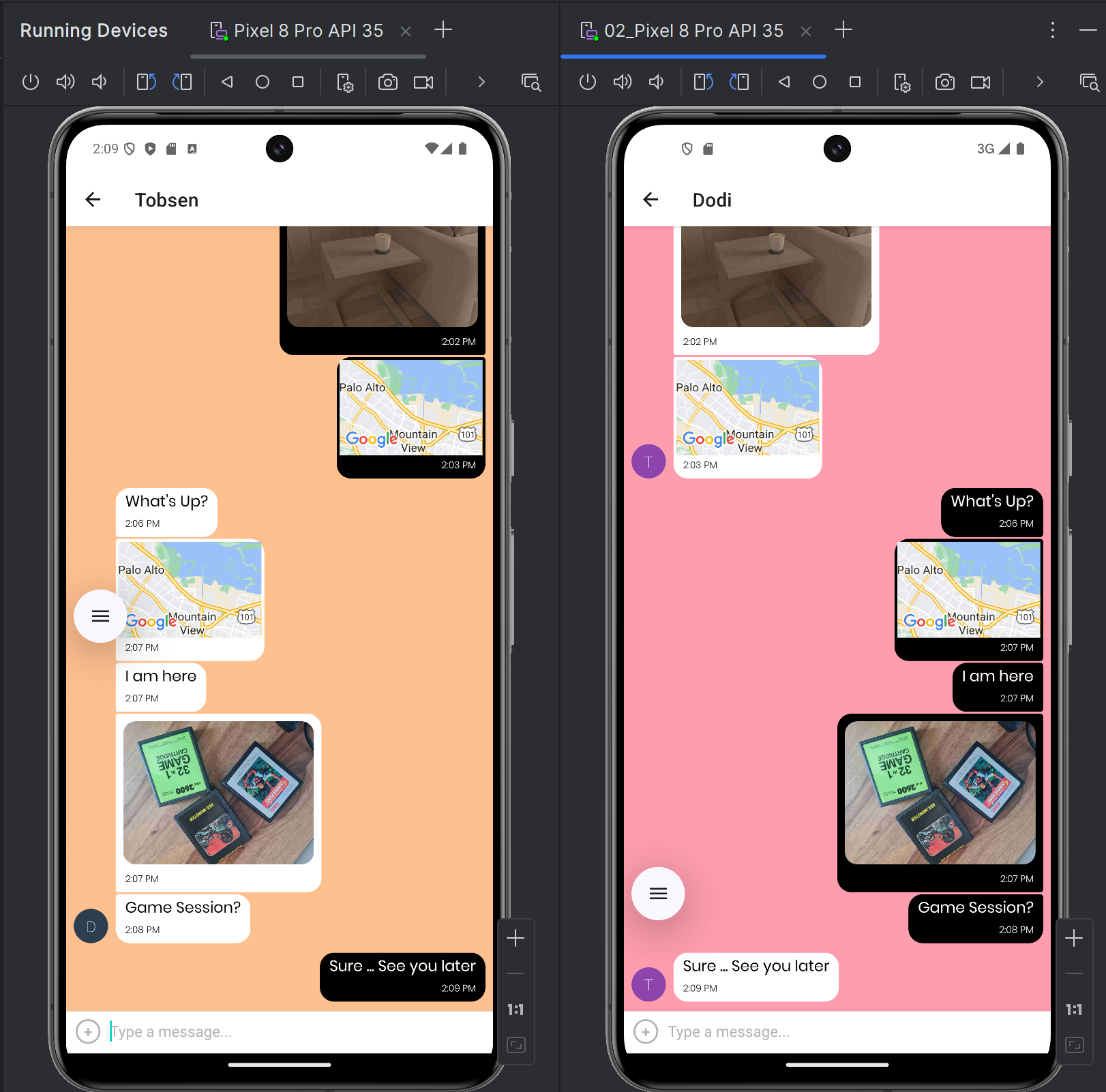
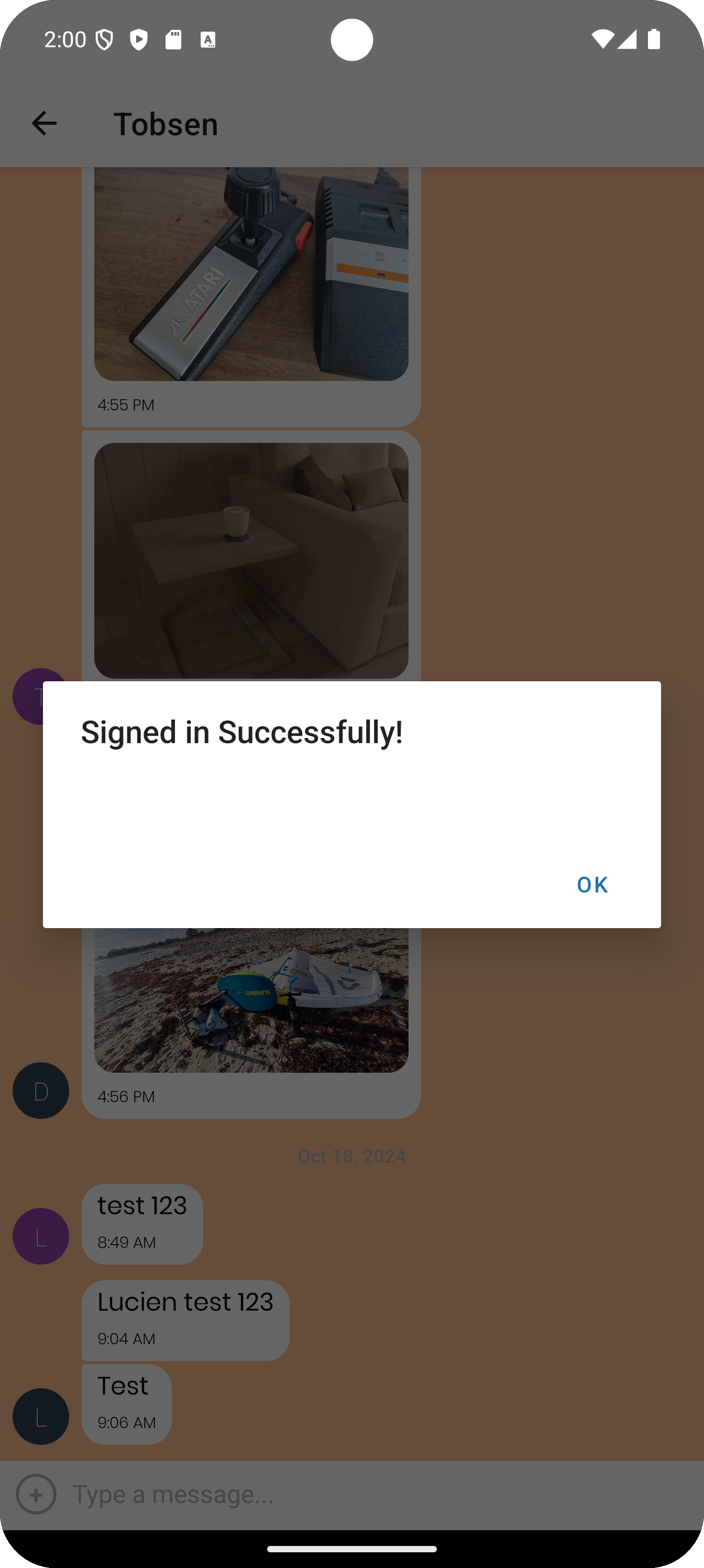
KraftChat is a mobile realtime chat application built with React Native, Expo and Firebase. Users can join a chat quickly through anonymous sign-in, send text messages, share images and share their current location.

The app uses Firebase as the backend service layer: Firestore stores and syncs chat messages in realtime, Firebase Authentication handles anonymous sign-ins and Firebase Storage is used for uploaded images.

A key part of the project was combining realtime messaging with practical offline behaviour. Messages are cached locally with AsyncStorage and restored when the user goes offline, which made the project a strong exercise in mobile state handling, cloud integration, accessibility requirements and device permissions during my training.

Key Features

Sign users in anonymously with Firebase AuthenticationSync messages in realtime through Firebase FirestoreCache messages locally for offline viewingShare images from the camera or photo libraryShare the current device location inside the chatLet users choose a custom chat background colour on the start screenSupport screen reader-friendly usage

Core Stack

React NativeExpoFirebaseFirestoreFirebase AuthenticationFirebase StorageAsyncStorageReact Navigation

Build Focus

Realtime data handlingOffline supportCross-platform mobile UIMedia and location sharing

User Stories

  • As a new user, I want to easily join a chat room to start chatting with friends and family.
  • As a user, I want to send messages, images and my location.
  • As a user, I want to view messages offline.
  • As a user with a visual impairment, I want the app to be screen reader-compatible.

Messaging Experience

  • Sign users in anonymously before they enter the chat room.
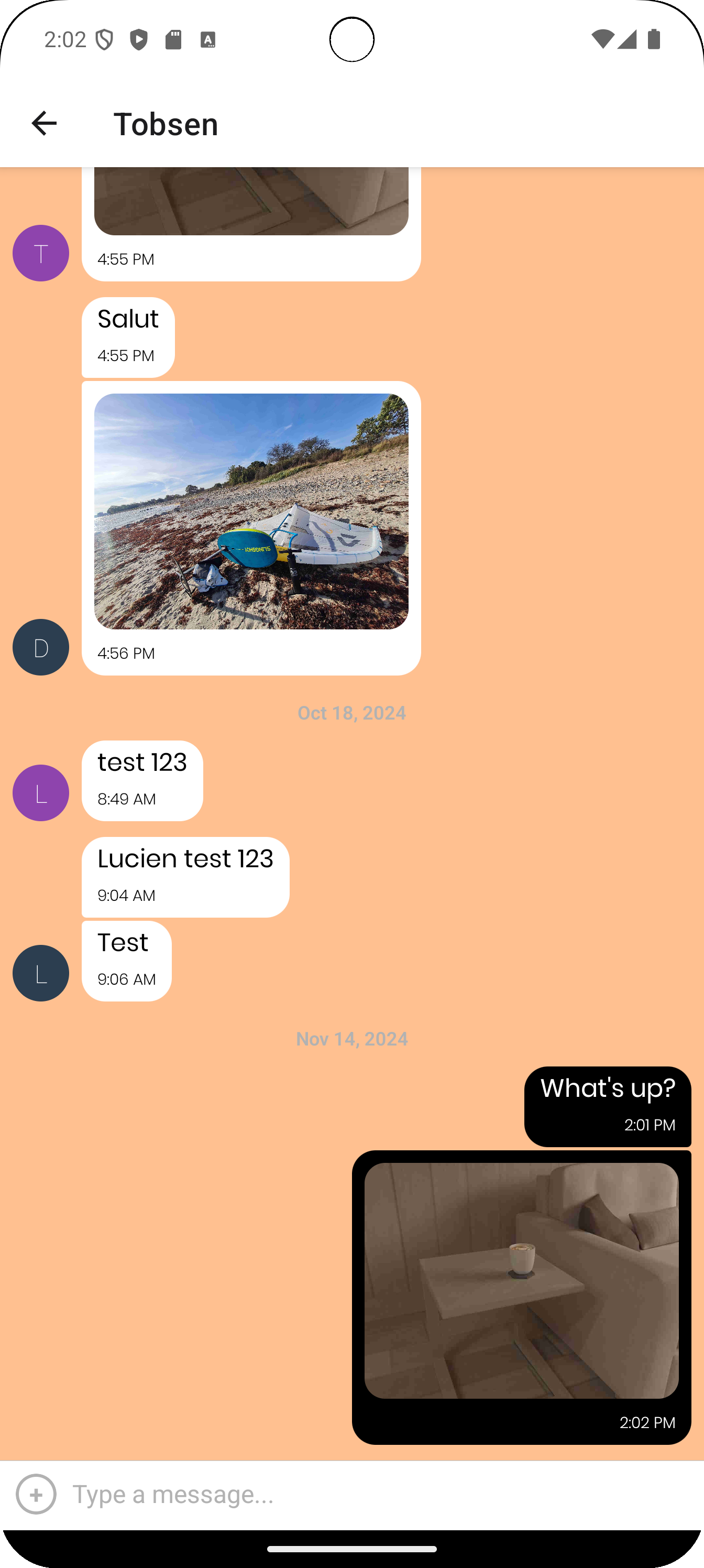
  • Display messages in realtime through Firebase Firestore.
  • Render custom chat bubbles and input toolbar states in the chat UI.
  • Send text messages, images and current location from within the conversation.
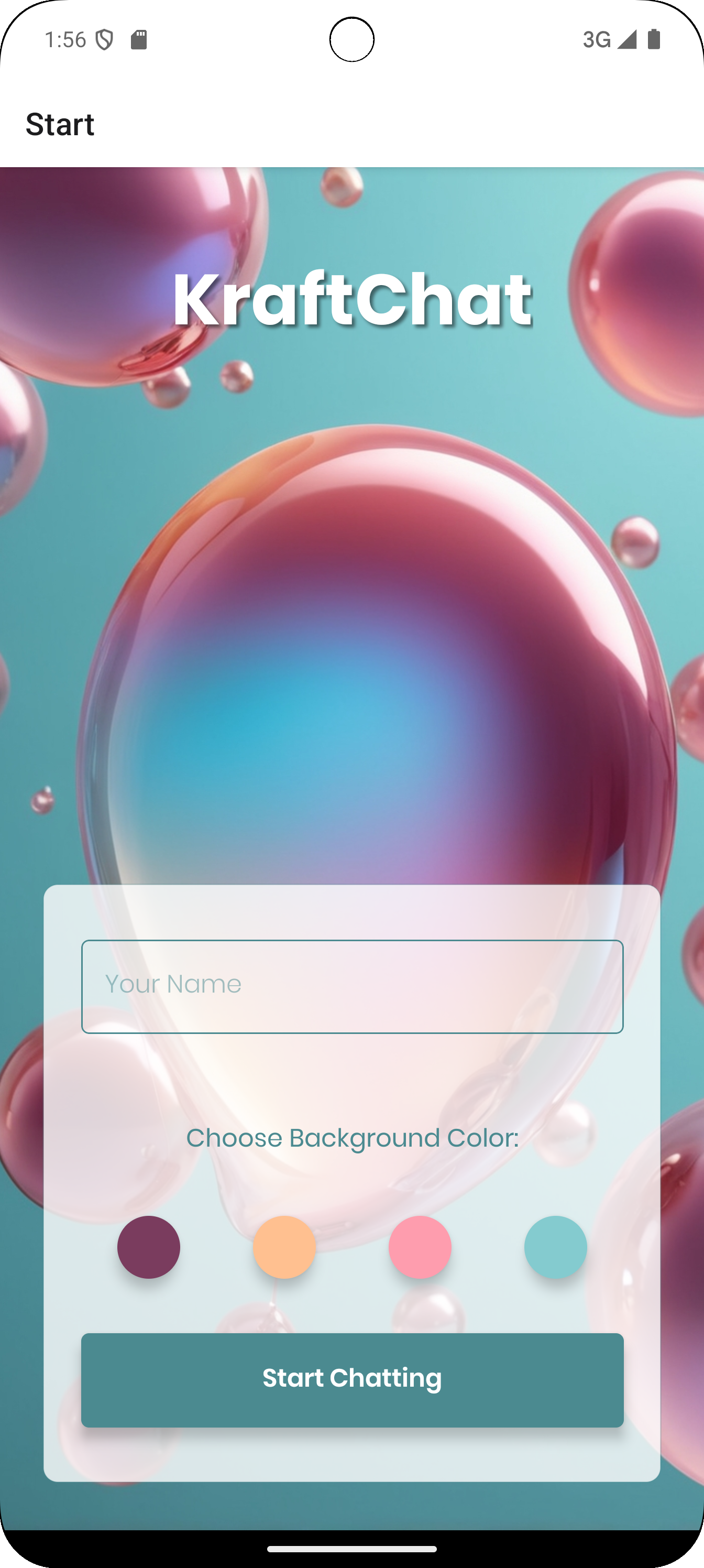
  • Let users choose their chat background colour on the start screen.

Firebase Service Layer

  • Use Firebase as a Backend-as-a-Service layer for authentication, database and storage.
  • Use Firebase Firestore as the realtime NoSQL database for storing and syncing chat messages.
  • Use Firebase Authentication for anonymous sign-ins before entering the chat.
  • Use Firebase Storage to upload images and retrieve them inside message threads.

Offline & Device Handling

  • Cache messages locally with AsyncStorage when the user is offline.
  • Restore cached conversations when the device has no active connection.
  • Monitor network state and adjust Firebase network usage accordingly.
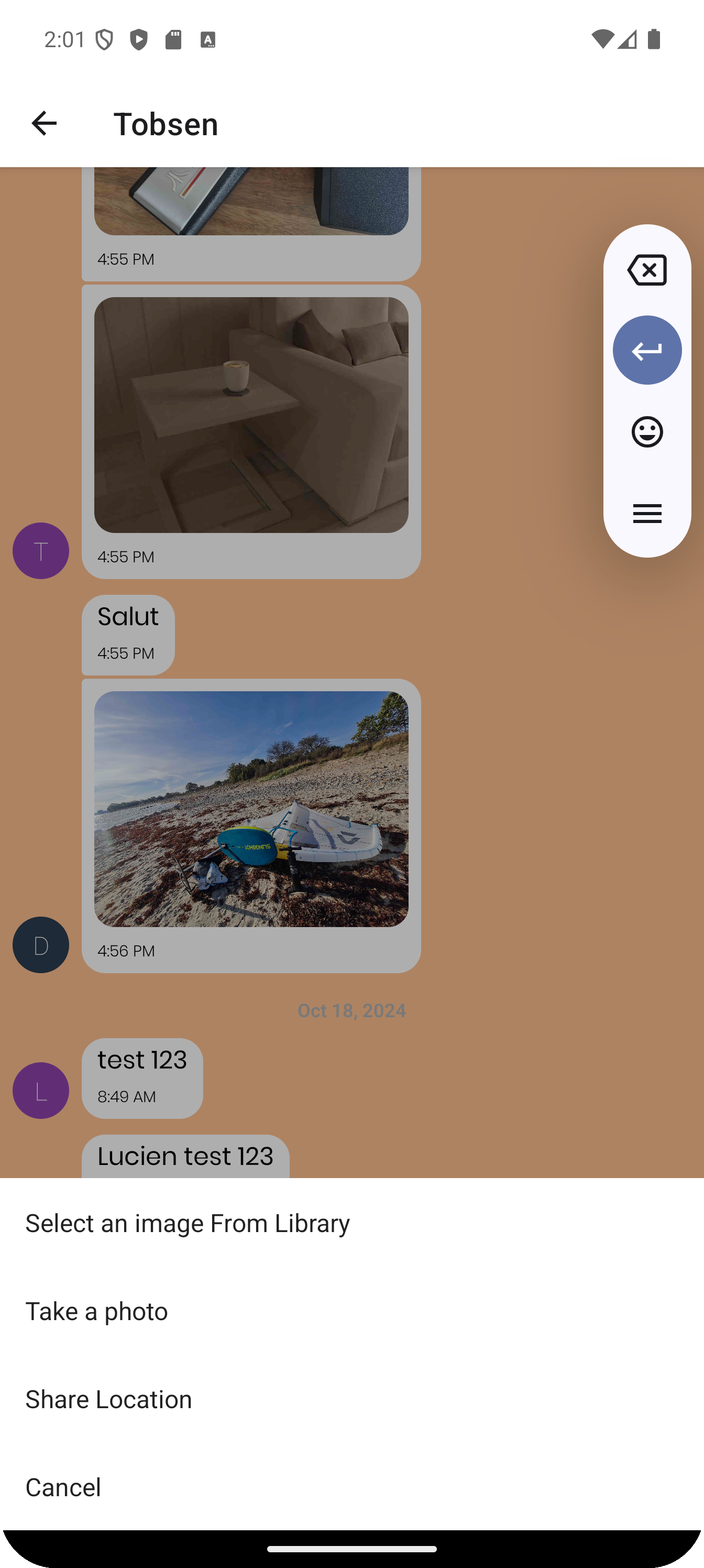
  • Handle permissions for camera, gallery and location access.
  • Support screen reader-compatible usage as part of the app requirements.

Libraries & Services

  • Use react-native-gifted-chat as the base for the chat interface.
  • Use react-native-maps to render shared location data in messages.
  • Use expo-image-picker and expo-location for media and location actions.
  • Use expo-font to load custom fonts for the app UI.
  • Use Firebase Authentication, Firestore and Storage as the backend service layer.
  • Use NetInfo and AsyncStorage to support offline-first behaviour.

Component Structure

  • App.js acts as the entry point and manages app-wide concerns such as network status, font loading and navigation.
  • Start.js lets users enter their name, choose a background colour and sign in anonymously before navigating to the chat screen.
  • Chat.js handles realtime messaging, cached messages, custom bubble rendering and conditional input behaviour based on connectivity.
  • CustomActions.js provides the action sheet for gallery, camera and location sharing, including permission handling and image uploads.
  • firebase.js initializes and exports the Firebase services used throughout the app.

Component Functions

  • App.js uses font loading and network monitoring to coordinate global app state and navigation.
  • Start.js uses signInUser to authenticate anonymously and move into the chat flow.
  • Chat.js uses onSend, renderBubble, renderInputToolbar, loadCachedMessages and cacheMessages to manage realtime and offline chat behaviour.
  • CustomActions.js uses onActionPress, pickImage, takePhoto and getLocation to power media and location sharing.
  • firebase.js exports the initialized Authentication, Firestore and Storage instances for the rest of the application.

Tools & Libraries

react-native-gifted-chatfirebasereact-native-mapsexpo-image-pickerexpo-locationAndroid Studio@react-native-async-storage/async-storage@react-native-community/netinfoexpo-font